

What’s New in Blackboard Learn
Are you ready for the new version of Blackboard?
Mark your calendars – Summer 2014

On May 5th, the newest version of our Learning Management System (LMS) will go live. Whether you use Blackboard all the time or want to turn over a new leaf, there is something here for everyone. We are hard at work making this as smooth a transition as possible, and we can’t wait for you to get your hands on all of the great new and updated features.
Grade Faster. Grade Smarter.
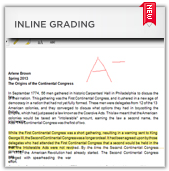 Stop waiting for files to download. Now you can view collaborative tools and assignments, provide feedback within the web browser itself, making grading faster, smarter, streamlined.
Annotation tools enable you to provide feedback as comments, highlights and illustrations directly on the document’s inline view. It’s simply better than traditional grading.
And this grading experience is being brought to all the other tools where we support inline grading (Blogs, Journals, Wikis, and Discussion Boards). This creates a more consistent and user-friendly grading experience for you.
Automate Outcomes Assessment
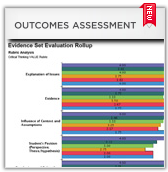 Leverage a solution that’s tightly integrated with Blackboard to make assessment faster and easier. Flexible reporting and tracking tools are at the heart of this new solution.
Blackboard Learn makes course-embedded assessment a reality. This makes burdensome assessment activities quicker and easier for faculty and students, and part of the day-to-day teaching and learning activities.
You can turn data about student learning into information that can be aggregated, integrated, and easily understood by stakeholders. You’ll have all the evidence you need to showcase your success, make data-driven decisions, and demonstrate your ongoing improvement.
Redesigned Discussions
 The interface for the Discussions within Blackboard Learn has been overhauled in the new version, all while adding new functionality. Now you have a more powerful tool to spark interaction and engagement.
It’s simpler to see all of the messages in a thread at once and now allow for inline replies. And the Avatars associated with the profiles carry over to these forums, letting users put faces to names.
Additionally, when creating a discussion forum, the instructor will be given an option to require students to “post first” before seeing other students’ posts.